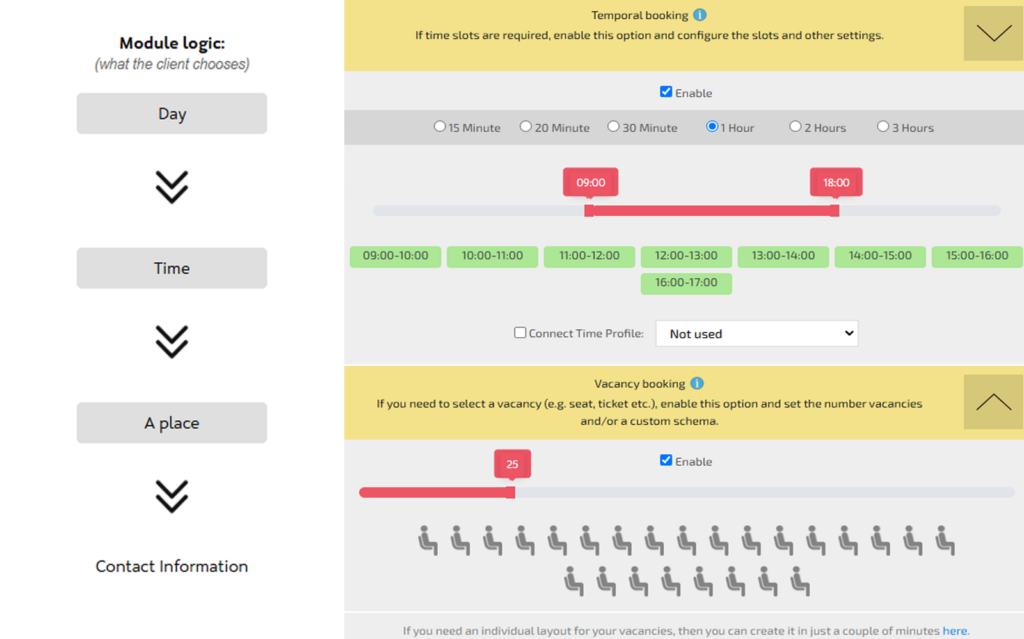
In the settings, check the “Enable” boxes in both the “Time-Based Booking” and “Vacancy-Based Booking” sections.
In the “Time-Based Booking” section, configure time slots. If the default options don’t fit, you can create custom ones in the “Time Profiles” menu.
In the “Vacancy-Based Booking” section, select the position available for booking within the time slot.
By default, 3bookers uses the “Passenger” layout scheme. However, in the settings, you can choose from 10 options (e.g., concert hall, restaurant tables, etc.). These parameters can be modified in the “Layout Scheme” tab.
Within the module settings, you can customize icons, adjust the number of bookings per session (1 or more), and more.