
In the personal account, select the “New Module” tab. A form will appear on the new page for you to fill out.
You will need to provide the following information:
- Website address or social media page link: If you update settings in the future, you’ll need to edit this field. For example, if the form was initially intended for VK and now needs to include booking and payment on a website, you’ll need to modify the module.
- Module name: For example, “Time-Based Booking Module.” You can also specify “Massage Appointment,” “Hairdresser Booking,” “Stylist Appointment Module,” etc. This name will be displayed in the personal account, making it easier to locate the module in the container quickly.
- Design theme: Choose how the module will appear on the website or mobile network—either on a light or dark background.
- Number of months for booking availability: The first month is the current one. For example, if the module is created in May, the first month will be May. For a two-month booking window, it will include May and June; for three months, May, June, and July, and so on.
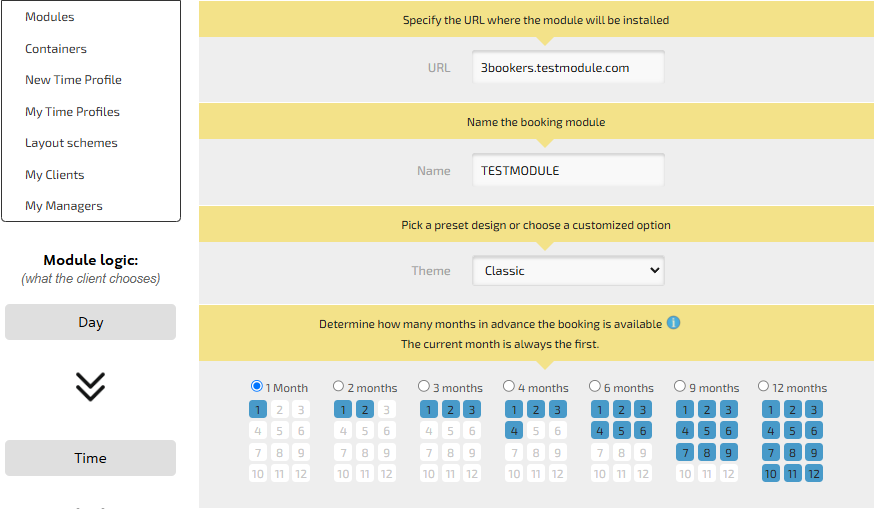
If the “Time-Based” and “Vacancy-Based” settings are not selected and you proceed, a calendar module will be created with daily (24-hour) booking.
When creating a module, HESUS allows you to configure booking options:
- Time-Based
- Vacancy-Based
- Temporary-Vacancy-Based
- Vacancy-Time-Based
Booking module descriptions are what clients will see on the module page when making a reservation:
- Title: A brief description of the service or category.
- Additional description: A detailed list of services, address, etc., which may include a call to action.
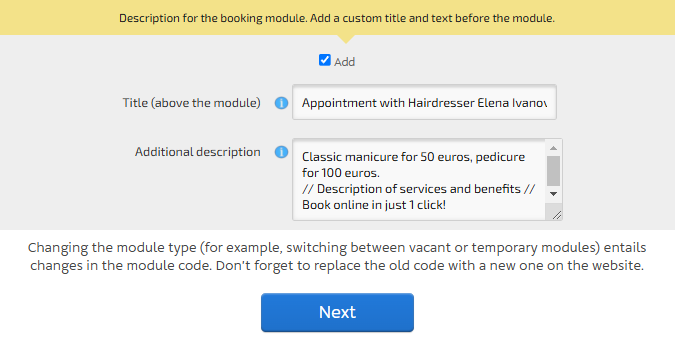
After clicking the blue “Next” button, 3bookers will offer you the option to set a fixed module width in pixels or choose the “Responsive Module” option.
The module width in pixels can be adjusted from 300 px (for smartphones) to 1,000 px (for laptops and tablets).
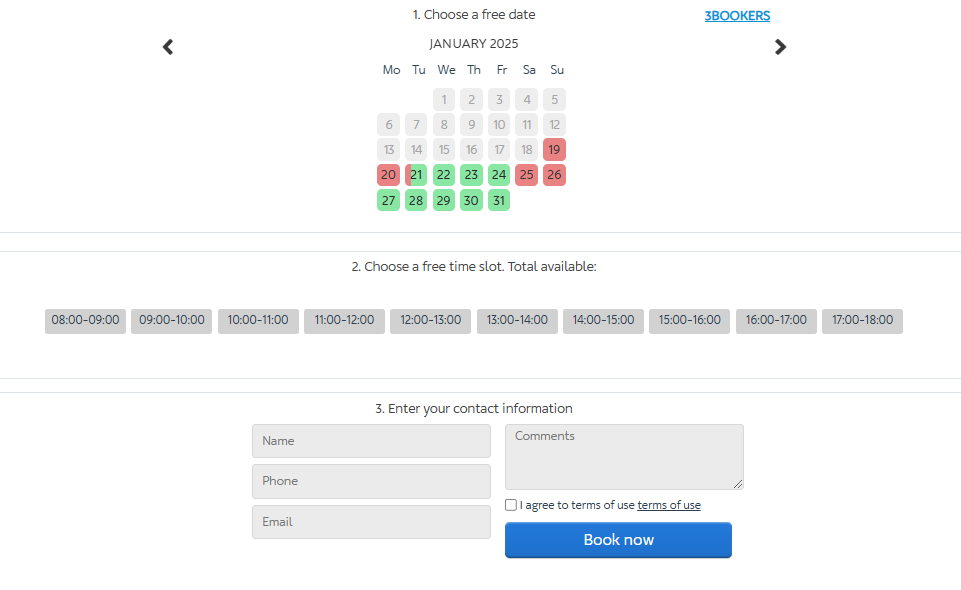
If you select the “Responsive Module,” the form will automatically adjust to screen resolutions. On the page, you will see how the 3bookers form appears from the client’s perspective.
Appointment with Hairdresser Elena Ivanova
Classic manicure from 50 euros, pedicure from 100 euros // Description of services and benefits //
Book in just 1 click!
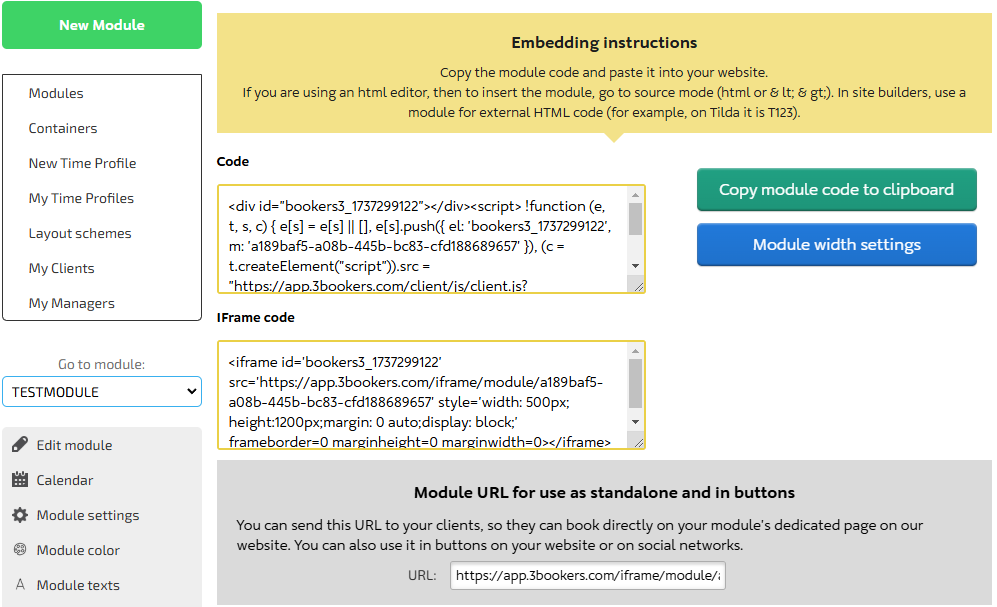
At the final stage, a code for embedding will appear. You need to copy it and paste it into a VKontakte group, websites on WIX, Tilda, WordPress, or others.
The payment option for booking is added separately.


